Run a rehabilitation clinic on one connected record
Miqora links appointments, patient records, assessments, treatment plans, invoices, and reports in a single clinic portal — for one branch or several.
Email verification and Miqora activation are required before the trial begins.
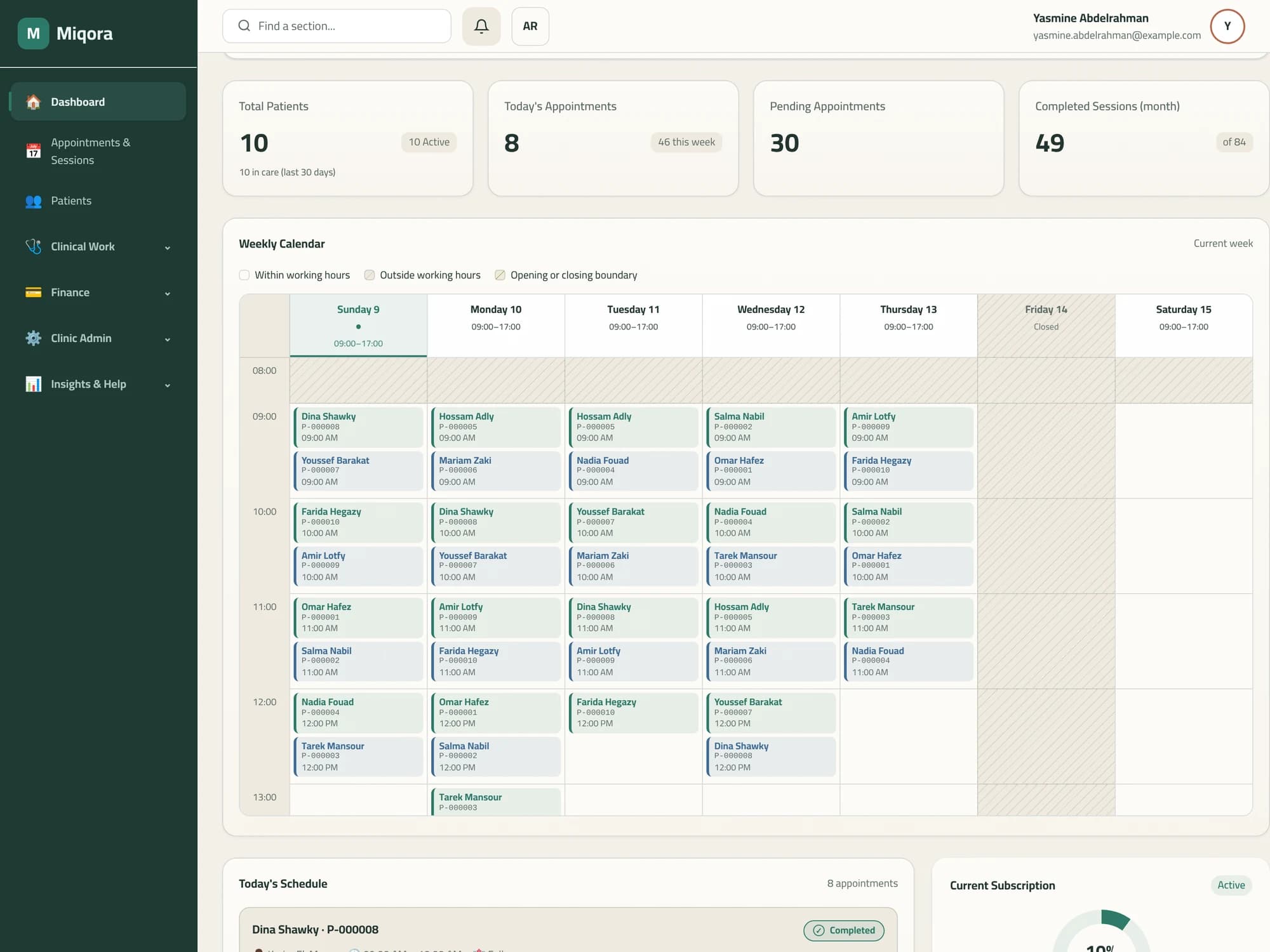
How the work connects
One patient file carries the whole episode of care. Every step below is a screen in the clinic portal.
- 01
Appointments
Book and reschedule visits per therapist and branch against your working hours, and mark no-shows.
- 02
Patient record
Demographics, diagnoses, documents, and visit history stay in one file per patient.
- 03
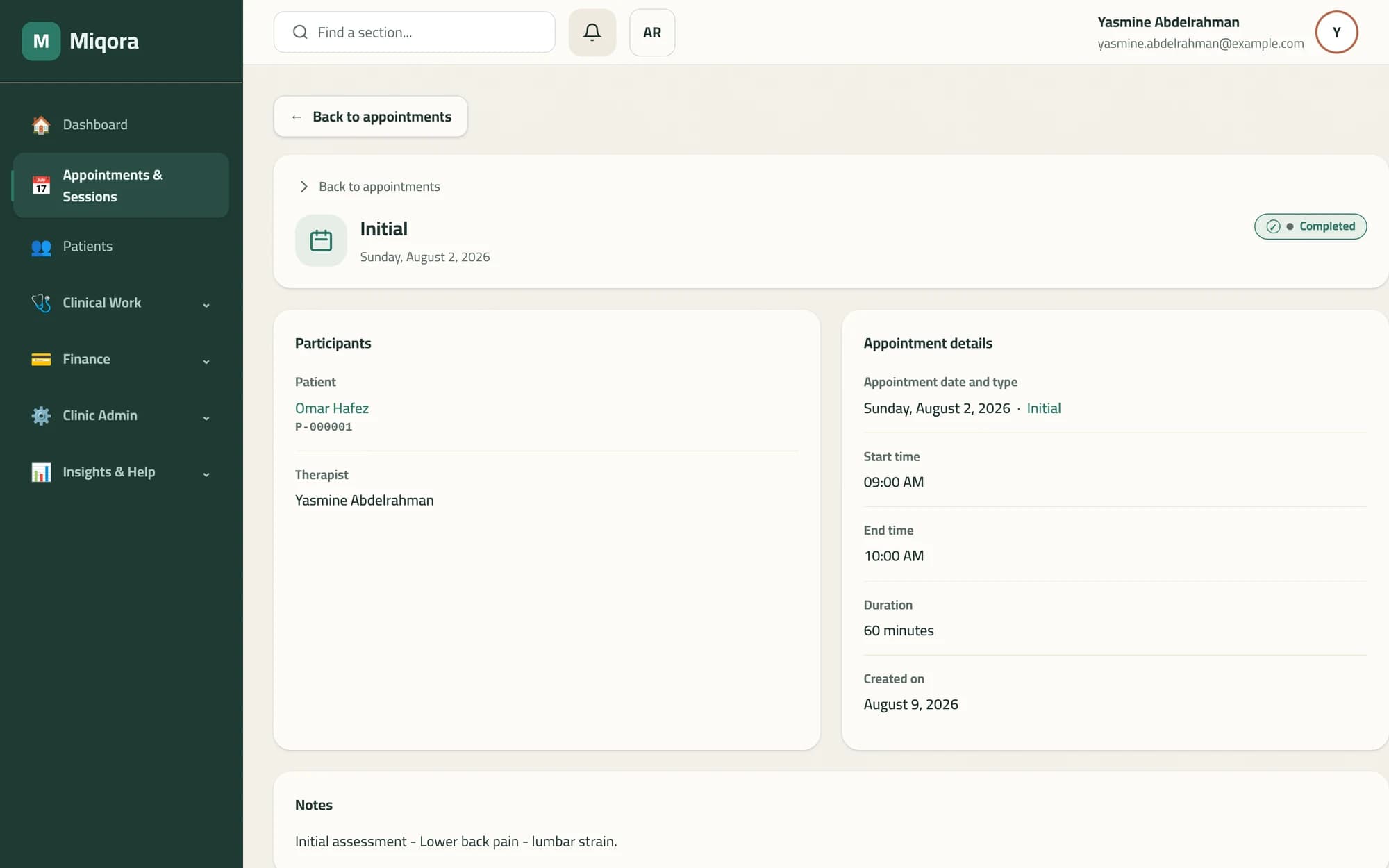
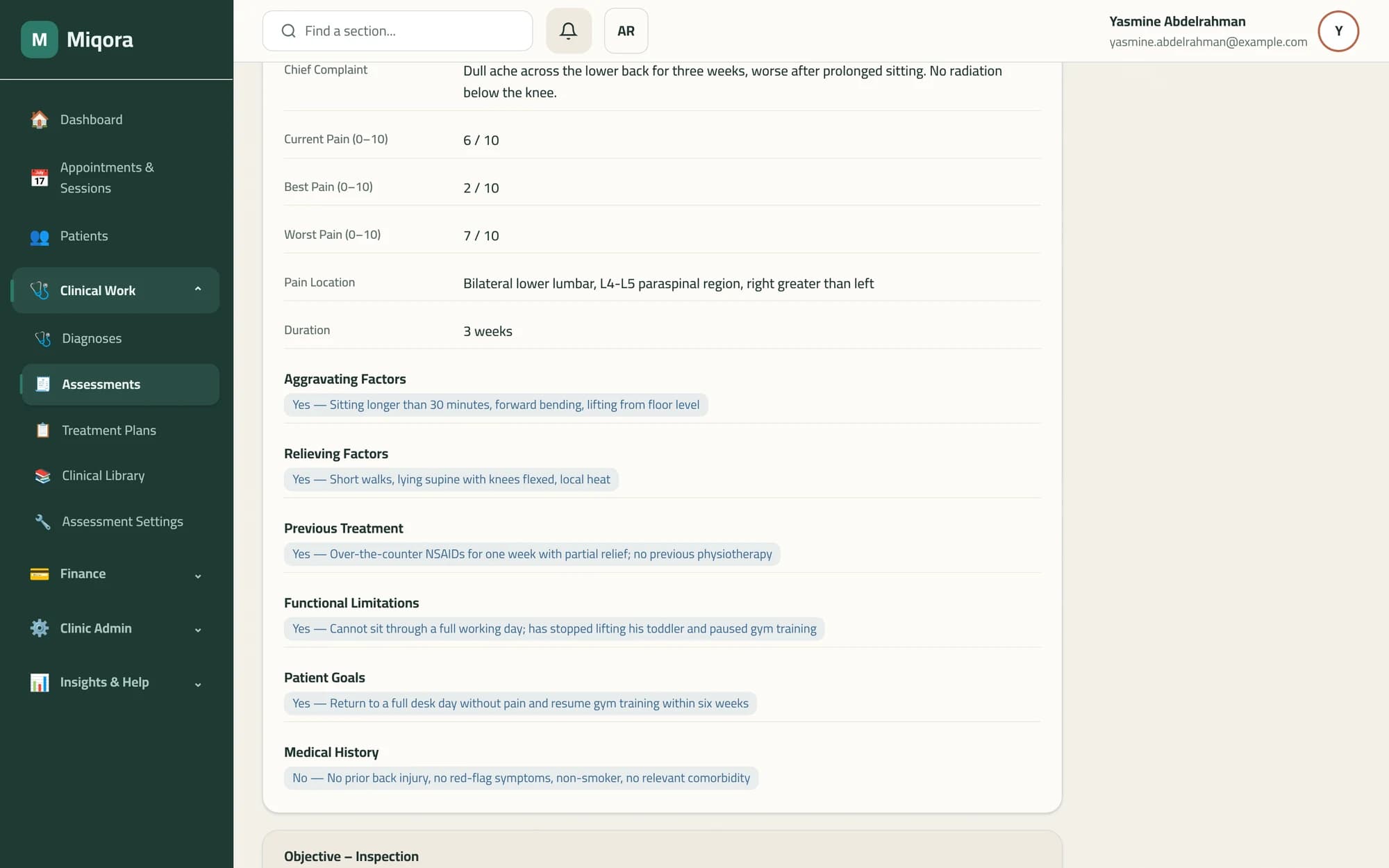
Assessments
Record an assessment during the visit using your clinic's own templates and fields, then print it.
- 04
Treatment plans
Build the plan from your clinic library of exercises, modalities, devices, and treatments.
- 05
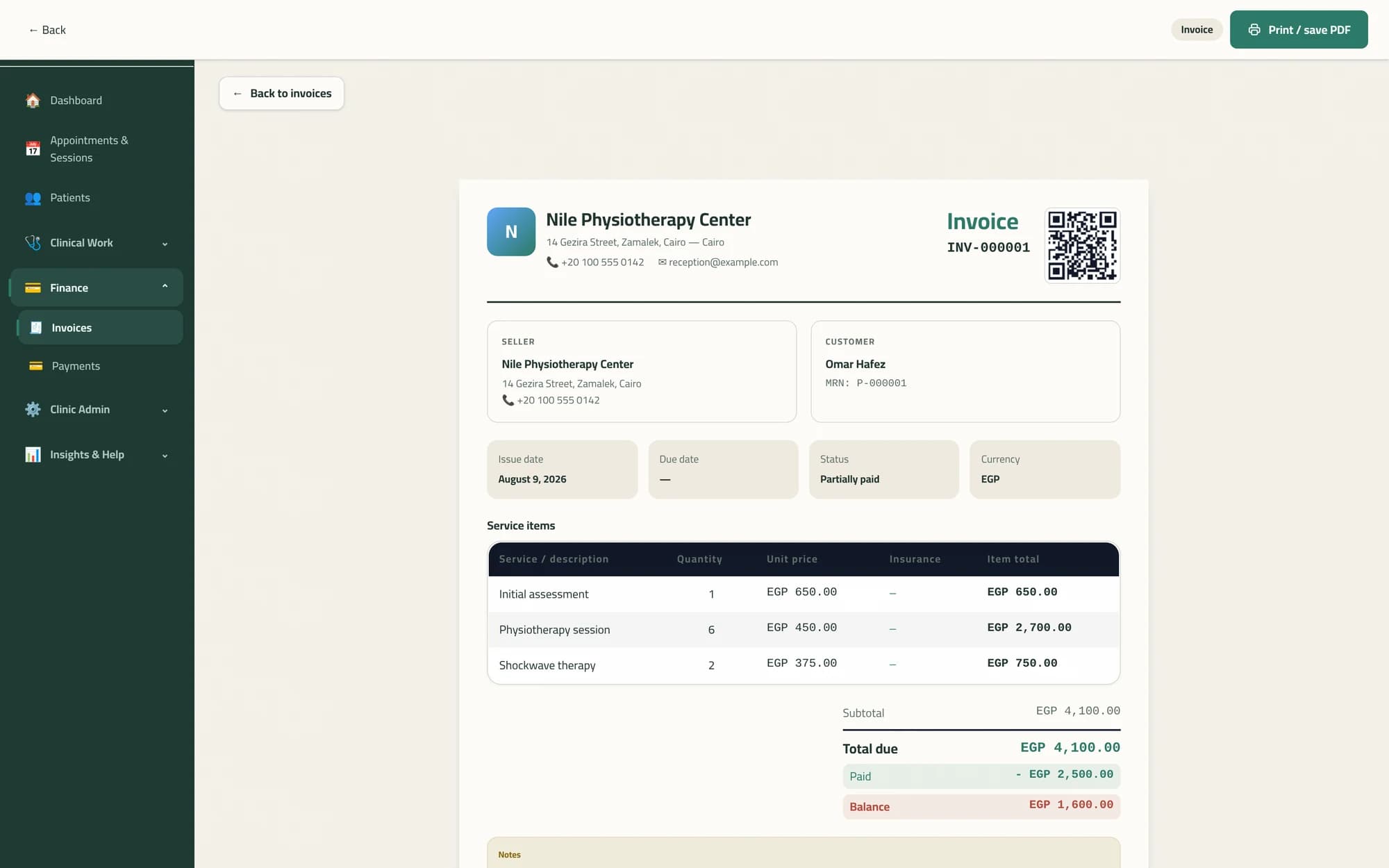
Invoices & payments
Raise the patient's invoice, record payments against it, issue a refund when needed, and print a copy.
- 06
Reports
Review a summary of clinic activity and sessions over a date range you choose.
Every step above is a screen that exists in the deployed product today.
How it works
Five steps from your request to the start of your trial.
- 1
Register your clinic
Enter the owner's name, email address, and phone number, your clinic name, and the permanent clinic address you want to use.
- 2
Verify your email
We email a six-digit code. Entering it confirms the address your account will use.
- 3
Choose a plan
Pick Starter, Pro, or Enterprise. Nothing is charged at this step.
- 4
Your clinic is activated
Choosing a plan that is open for direct signup activates your clinic automatically. If activation cannot be completed, your request stays with the Miqora team for review.
- 5
Set your password and sign in
Miqora emails a secure password setup link. Set your password, sign in to the clinic portal, and your 14-day trial runs from activation.
What you get
Every item below is a screen in the clinic portal today.
Appointments & scheduling
Book visits by therapist and branch, work through the day's schedule, and open a visit to record the session.
Patient records
Demographics, diagnoses, documents, and full visit history in one patient file.
Assessments
Assessment templates and fields your clinic defines, with a view and print output for each result.
Treatment plans & clinical library
A library of exercises, modalities, devices, and treatments that treatment plans are built from.
Invoicing & payments
Create invoices, record and track payments, issue refunds, and print invoices.
Staff, roles & branches
Add therapists, receptionists, and admins with role-based permissions, across one branch or several.
Reports
A summary of clinic activity and sessions over a date range you choose.
Privacy-aware patient data controls
Privacy-aware patient data export, erasure-request, and audit capabilities.
Read the Privacy PolicyPlans
Three plans, billed monthly in Egyptian pounds. Every plan includes a 14-day trial.
Starter
Essential features for smaller clinics.
EGP 299/ month
- For growing clinics
Pro
Additional capacity for growing clinics.
EGP 599/ month
Enterprise
For large clinics and multi-branch groups.
EGP 1,299/ month
Your trial begins once your clinic is activated, not at the moment you submit the form.
See full pricing detailsRequest a free trial for your clinic
You will enter your clinic details, verify your email with a six-digit code, and choose a plan. Once your clinic is activated, Miqora emails a secure password setup link and your 14-day trial begins.
Request a free trialEmail verification and Miqora activation are required before the trial begins.